
- GENERATE QR - ECODE/IMEI
Compatibility: Carrier Locked iPhone 12-16 PRO MAX
https://m.simhub.cn/uni/pages/mine/qpe/qpe-customize
MOST USED CARRIERS ON THE WORLD: AT&T USA; T-MOBILE; XFINITY; SPECTRUM; US CELLULAR; CRICKET; SPRINT; METRO PCS; VERIZON; VISIBLE; ALTICE; TRACFONE/ STRAIGHTALK; GCI; VODAFONE; ARGON; REDPOCKET; GUATEMALA TIGO; CANADA BELL; KDDI AU; CANADA FREEDOM; JAPAN UQ; VIAERO; TELEFONICA MEXICO; ATT MX; AND MORE.
NEW PROXY: 12300
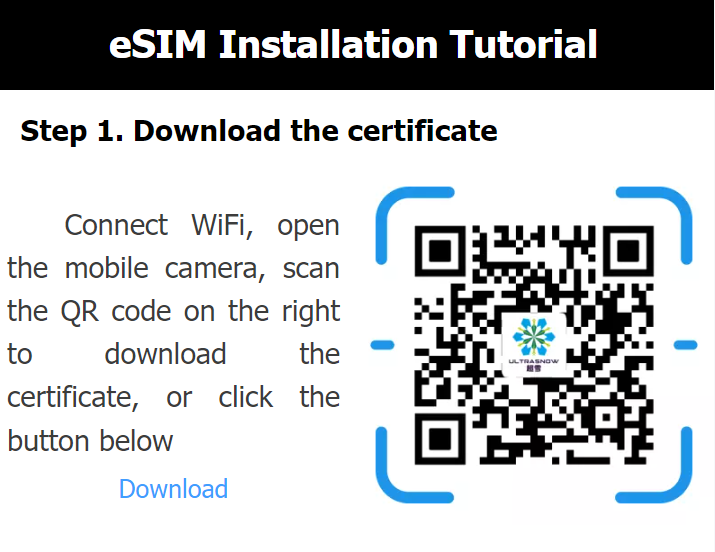
Connect to Wi-Fi, then download or scan the certificate from SimHub's installation tutorial.
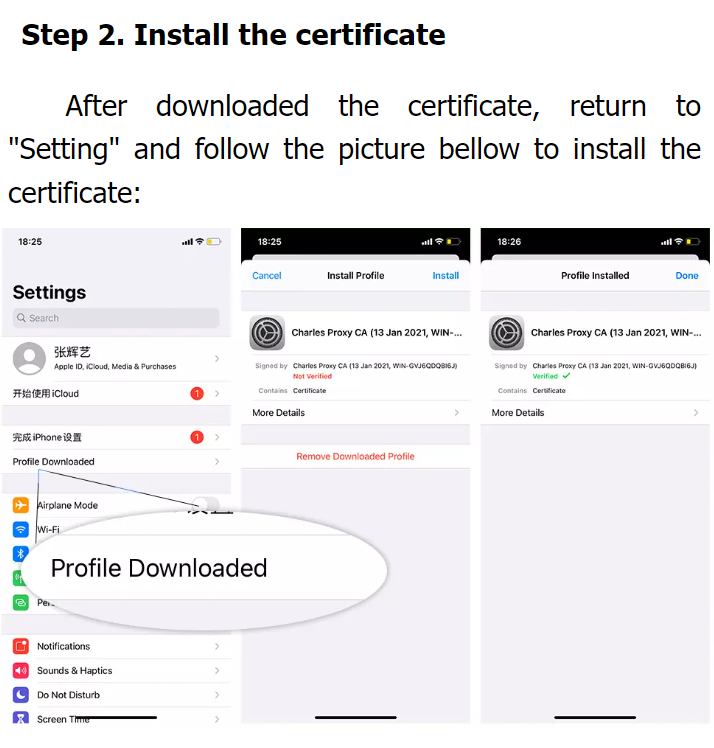
On iPhone: open the downloaded profile and install it until you see Profile Installed.
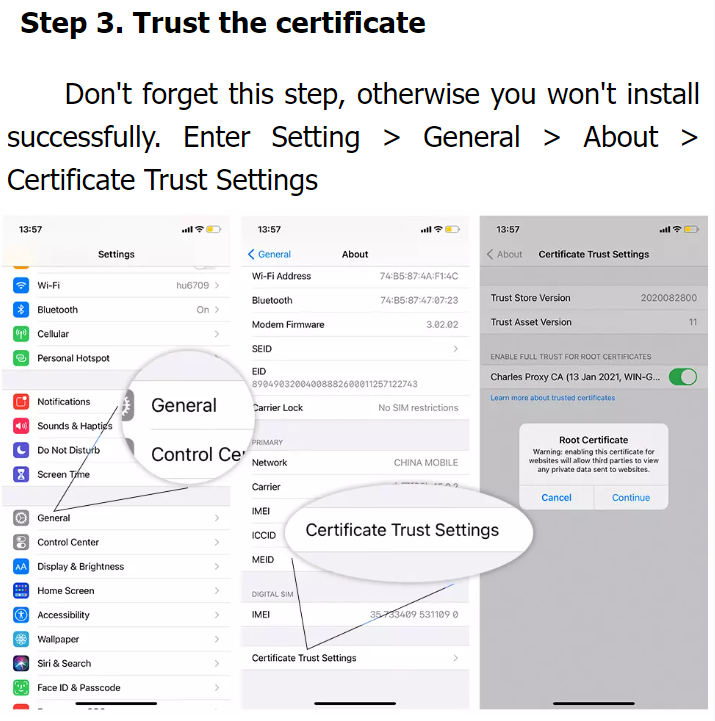
Go to Settings > General > About > Certificate Trust Settings and enable the certificate.
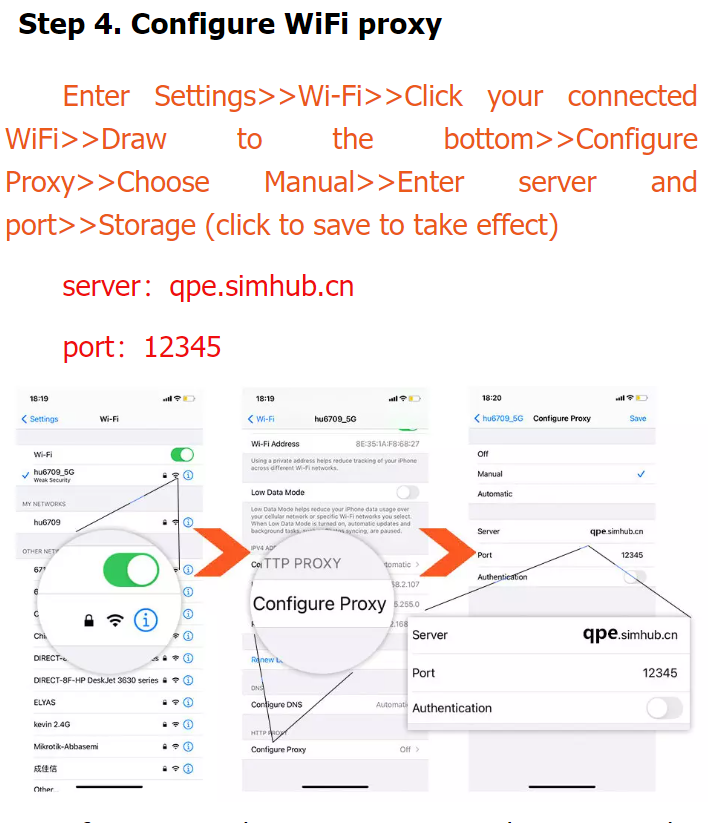
Open the connected Wi-Fi network > Configure Proxy > Manual.
Server: qpe.simhub.cn
Port: 12300
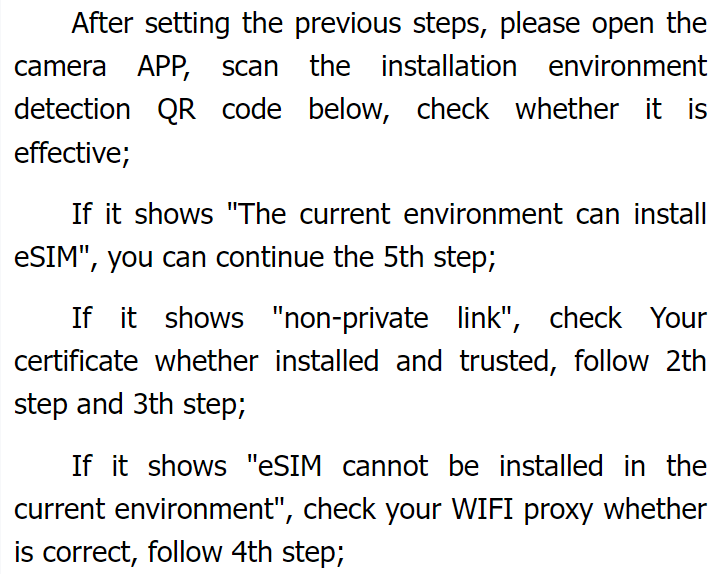
Then check the installation environment with the detection QR. If it says the environment can install eSIM, continue. If you see a non-private link warning, recheck certificate trust. If eSIM cannot be installed, recheck the Wi-Fi proxy.

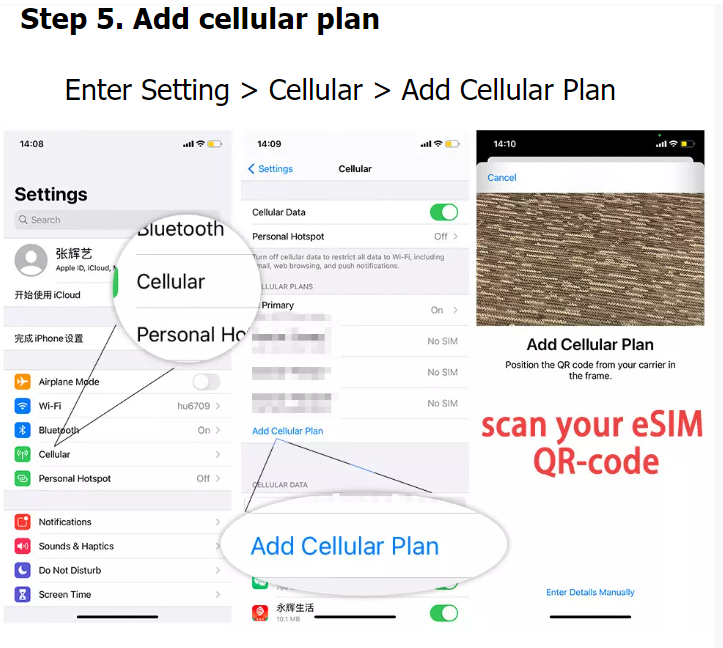
Go to Settings > Cellular > Add Cellular Plan and scan your eSIM QR code.
When finished: turn the Wi-Fi proxy Off and remove the eSIM_INSTALL profile.
Delivery time: INSTANT
Bulk orders allowed: No
Order type: IMEI
Service type: Server
Submit to verify allowed: No
Cancellation allowed: No
Order processing: Manual